drover — herdr on your phone, like on a desktop
An SSH client for driving herdr, a terminal multiplexer for agents running on a server, from Android with the same feel as on a desktop. The app exists for one reason — to handle Korean input and modifier keys properly.

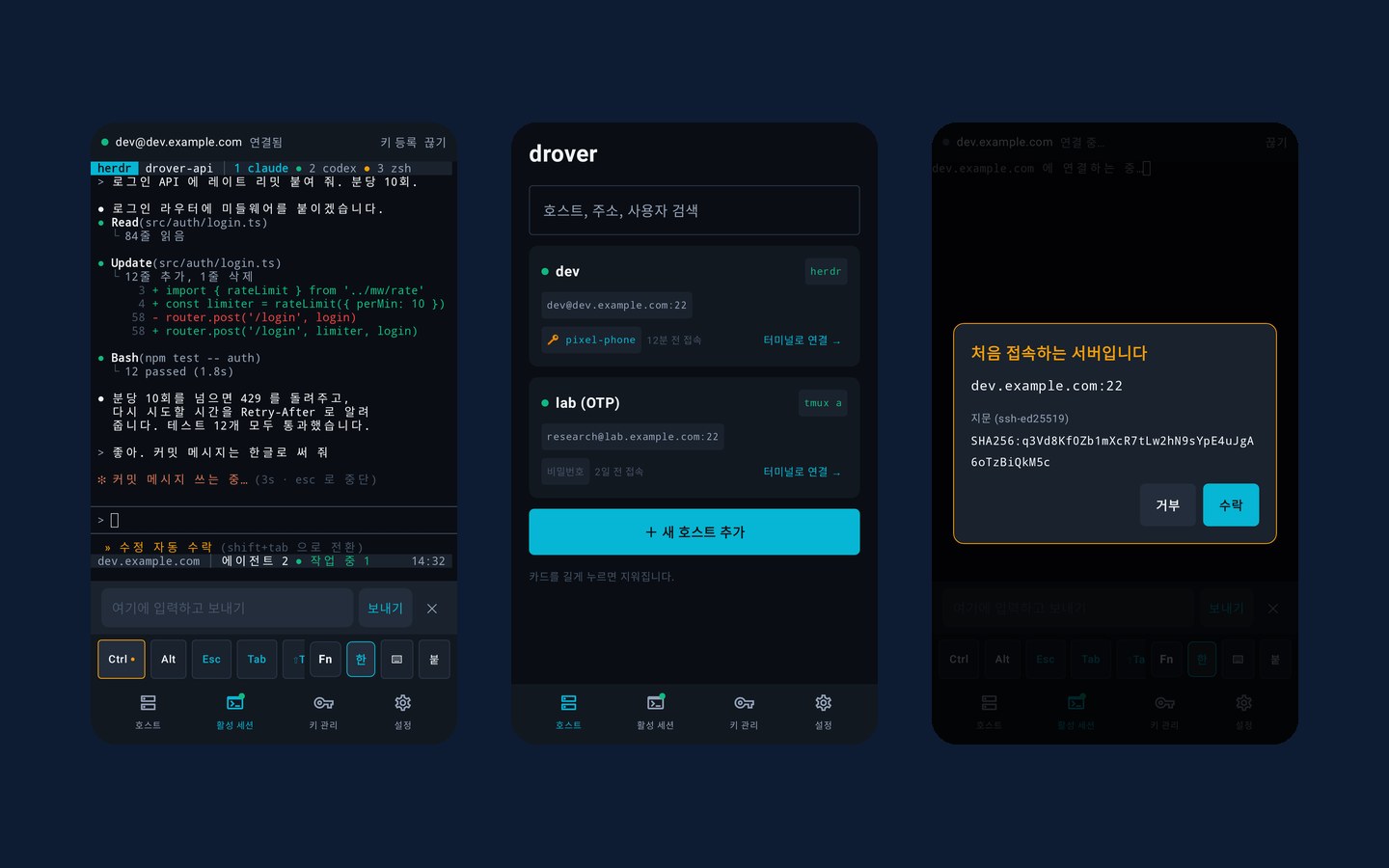
Even while you are away
Once you start an AI coding agent on a server, it keeps working while you are away. The moments when you need to check in and give it a quick instruction usually come when you are not at your desk. But attach to a multiplexer like herdr from a phone SSH app, and pressing Ctrl+B once is hard, Korean breaks mid-composition, and Enter goes out at the wrong time. drover was built to fix these two things.
Register a host and connect with a password or an SSH key, and herdr starts automatically right after you connect (the post-connect command can be changed per host). The bottom tabs are Hosts · Active sessions · Keys · Settings. There is no sign-up or login — install the app and use it right away.
Modifier keys that actually apply
The key bar at the bottom of the screen has Ctrl · Alt (one tap applies them to the next input), Esc, Tab, ⇧Tab (switches Claude Code modes), arrow keys and Home/End; swipe to the Fn row for F1–F12, PgUp/PgDn, Ins and Del.
With Ctrl or Alt on, they also apply to letters typed on the phone keyboard, so herdr shortcuts like ⌃B c work on the phone just as they are. Bluetooth and USB hardware keyboards have also been checked on real devices.
The terminal screen is made for the phone too. Wide characters such as Korean fit their cells, you can use two-finger drag, text selection, copy and paste, and the font size you set with a pinch is remembered per host. Content copied in herdr copy mode, nvim or Claude Code arrives on the phone clipboard. Only that direction is allowed; requests from the server to read the phone clipboard are ignored — the phone clipboard may hold passwords or verification codes.
Korean in one go from the input box
Typing Korean straight into a terminal easily breaks characters mid-composition or sends the cursor astray. So drover makes the input box the default. For Korean, you write the whole sentence in the input box at the bottom of the screen and tap Send, and the text and Enter go out together (long-press to insert the text only). While you use the input box, the way each keyboard composes characters does not leak into the terminal.
↑ recalls text you have sent, and when you need to send one character at a time, as in vim or Tab completion, you turn off 「한」 to switch to direct input. Korean input will never be put behind a paywall — that is a principle of this app.
Servers and keys, kept safe
For a server you have never seen, it shows the fingerprint first; if a server's key changes, it shows a red warning with the previous fingerprint and locks the accept button for 3 seconds. Servers that ask for an OTP after the password or key (two-step authentication) are supported too.
SSH keys can be generated in the app or imported. Each key can require biometric or device authentication (on by default), and there is no feature to export a private key out of the app. A key you create can be registered on the connected server in one step. The host list, keys and saved login passwords are all stored encrypted on the device.
No login, no developer server
drover has no login, no payments and no developer server. The app uses the network only when it connects to a server you specify over SSH, and its permissions are just two: internet and biometrics. It first came with an optional Google login, but it gave users no benefit, so it was removed. Hosts and keys that had been split per account were merged into one on update, so no one who had logged in lost sight of their data.
SSH connection, herdr display, ⌃B control, the Korean input box and hardware keyboards have been checked on real devices, and the app is released on Google Play. Features still to come are keeping sessions alive in the background and reconnecting, jump hosts, port forwarding, and theme and key bar editing. There are no in-app purchases.
Key features
Screen gallery
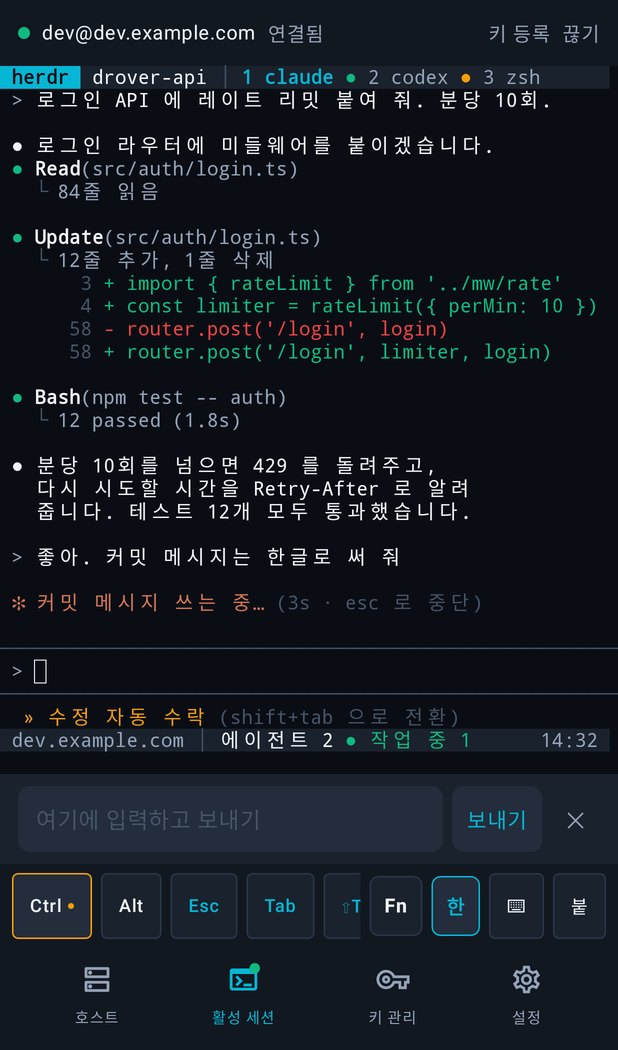
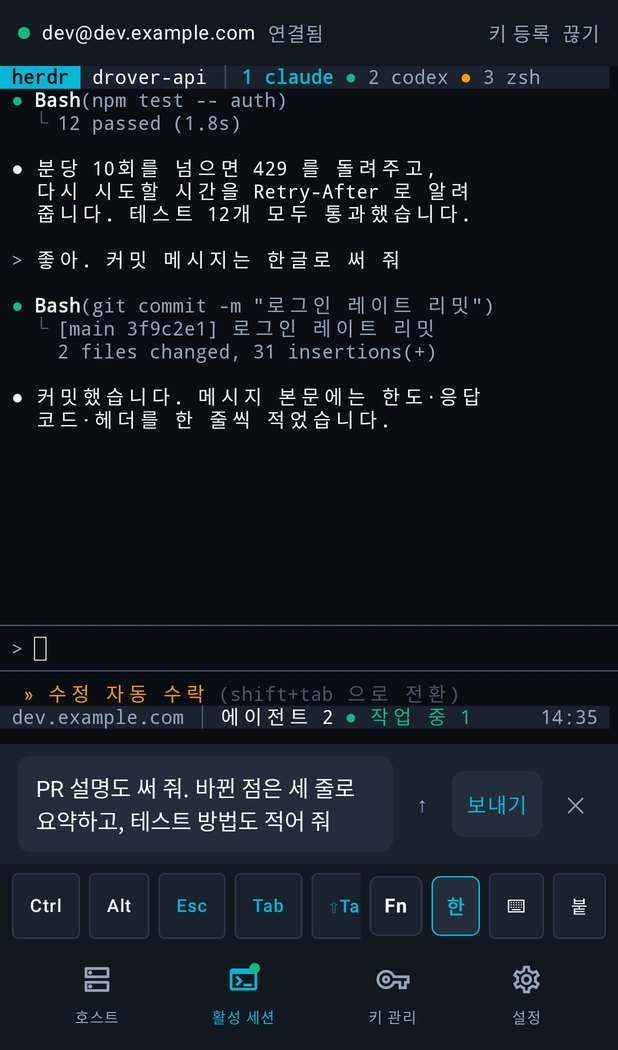
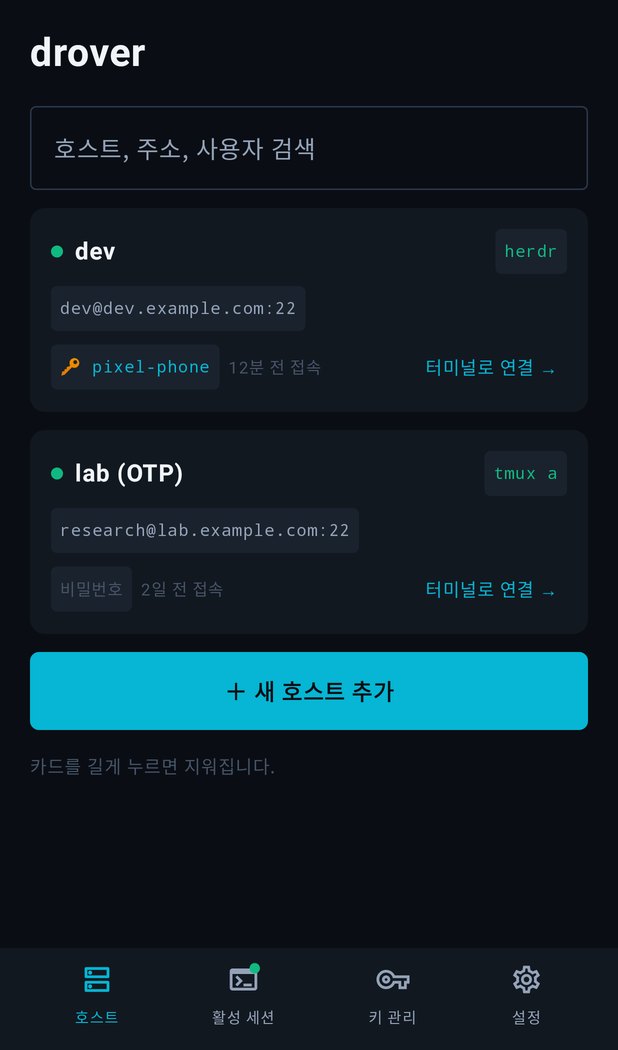
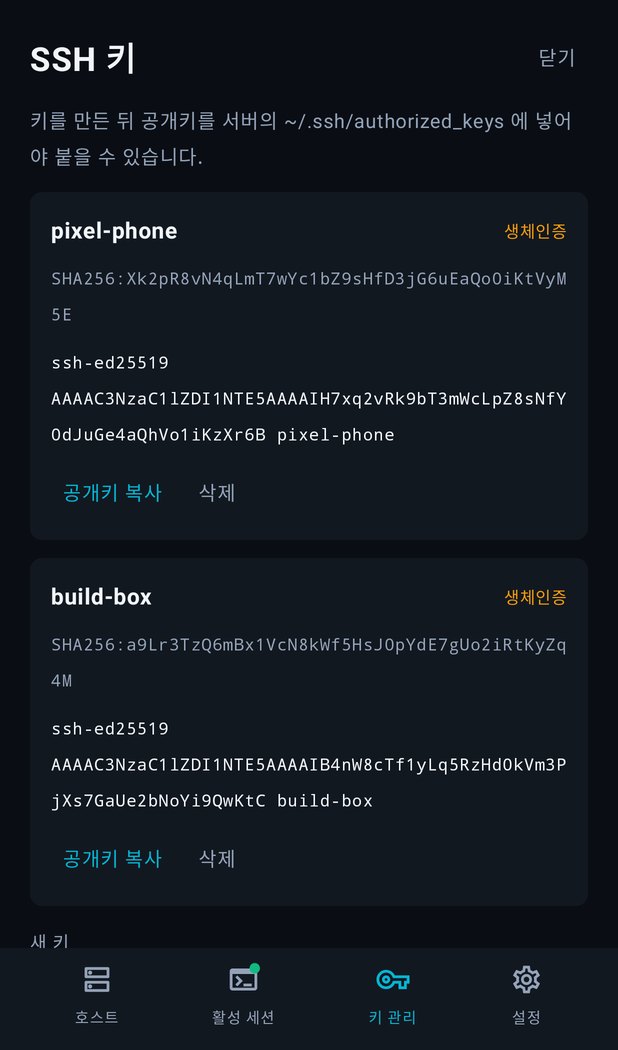
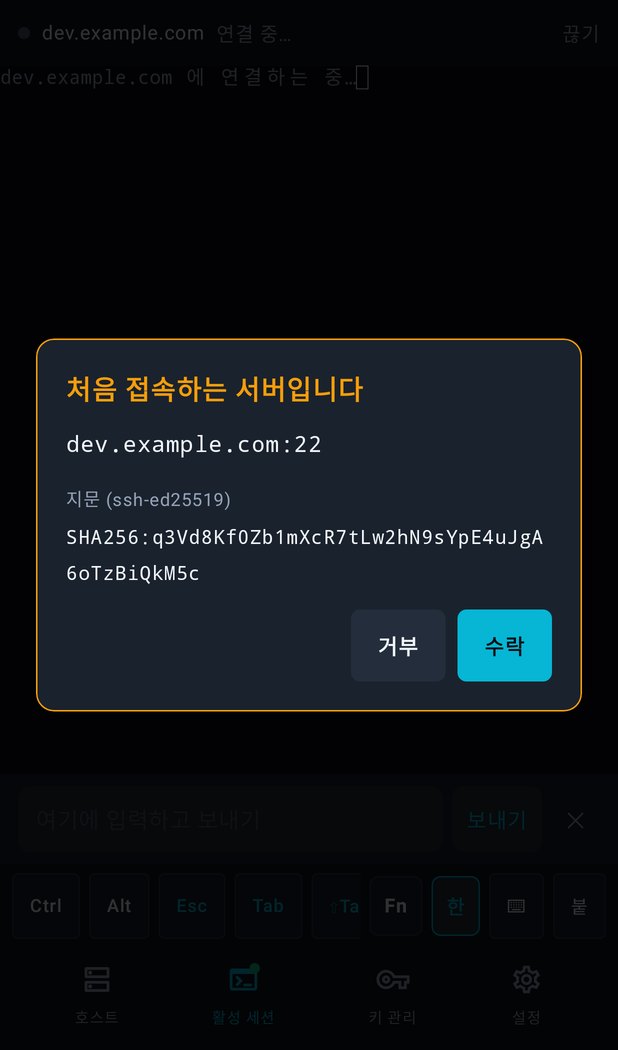
These are real app screens filled with example values. All host addresses, fingerprints and public keys are made up.
Terms and policies
drover handles server login details, so it is stated clearly in writing that the app sends nothing to the developer.