The Oddballs I Met (peek-a-moo) — A new oddball appears every midnight
A pitch-black silhouette and a cry — those are the only clues. It's a one-round-a-day quiz game where you guess the odd name the operator has given each creature. It launched first as a Toss mini-app and has also been brought to Android.
Every midnight, the Oddball of the Day
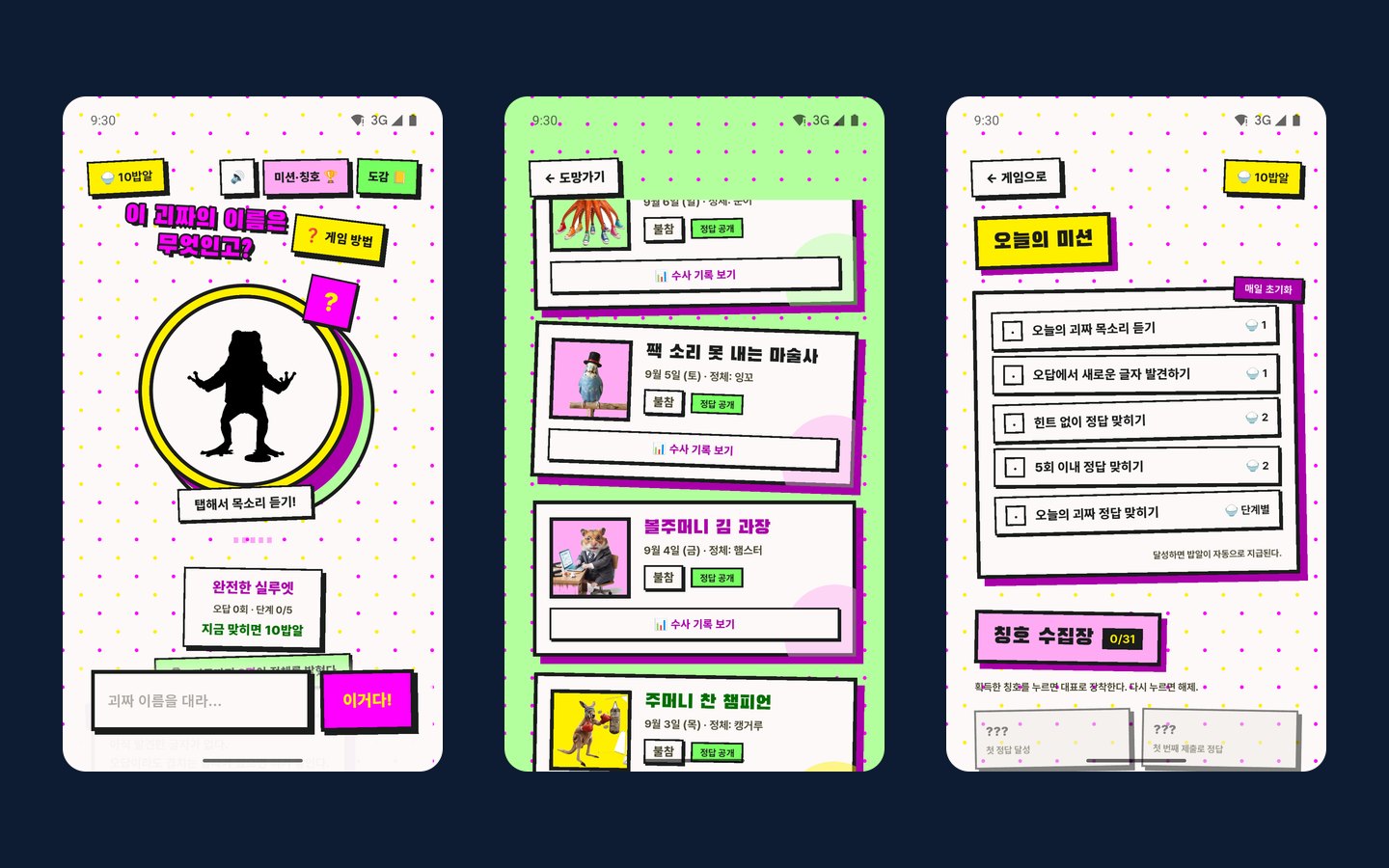
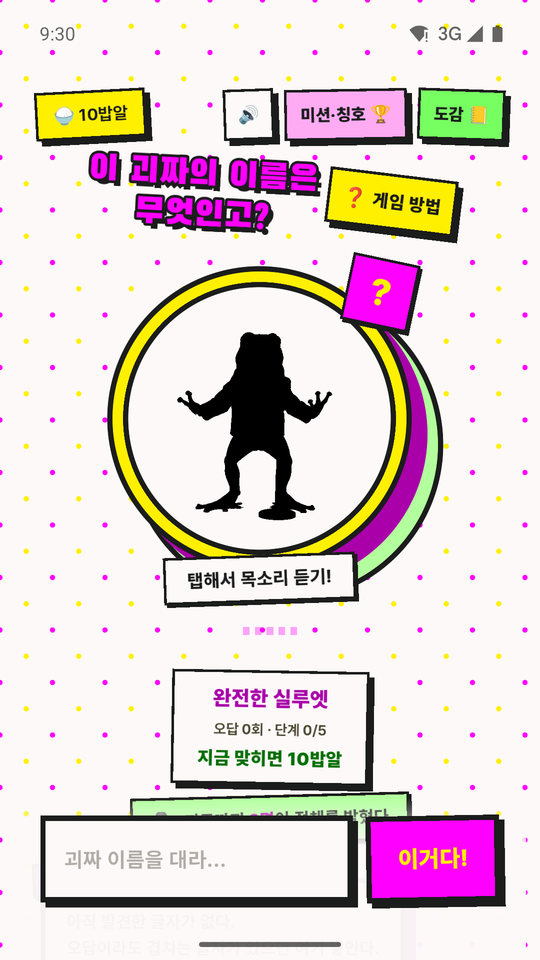
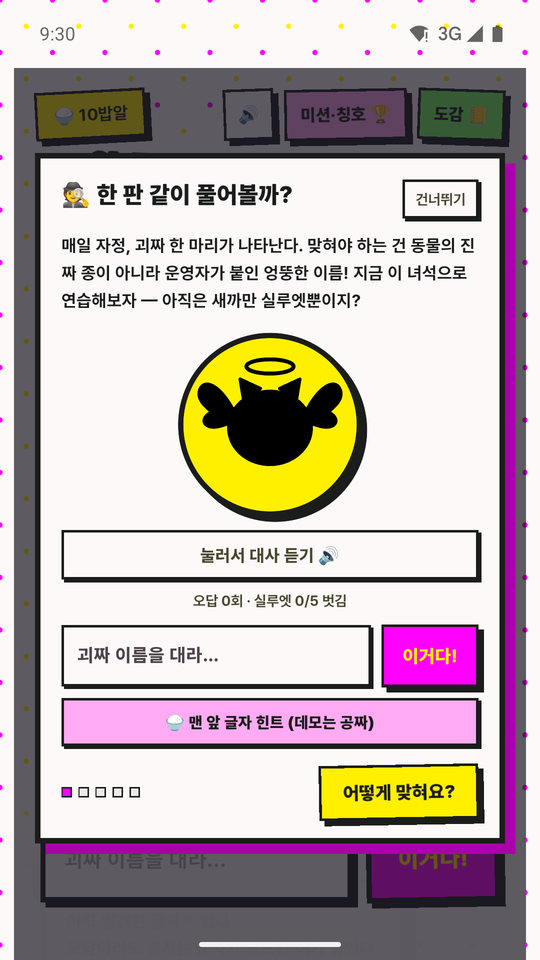
Every day at 00:00, one 'Oddball of the Day' appears as a pitch-black silhouette. Tap it and the oddball cries in its own voice; with only that sound and the silhouette as clues, you have to guess its name. Every user gets the same oddball, so you can also see how many people uncovered its identity that day.
The key point is that what you guess is not the animal's species. The answer is an odd nickname the operator gave it, so even if a flying pig shows up on screen, the answer is not 'pig' but Flying Pork Cutlet (날으라 돈까스). Recognizing the silhouette is not the end; it's the start.
The whole screen shares a tacky, funny B-grade tone. Neon yellow and magenta, thick black outlines, crooked stickers — a design that lets the screen tell the game's joke first.
The rules of a round — the more you miss, the more you see, and the more you see, the less you earn
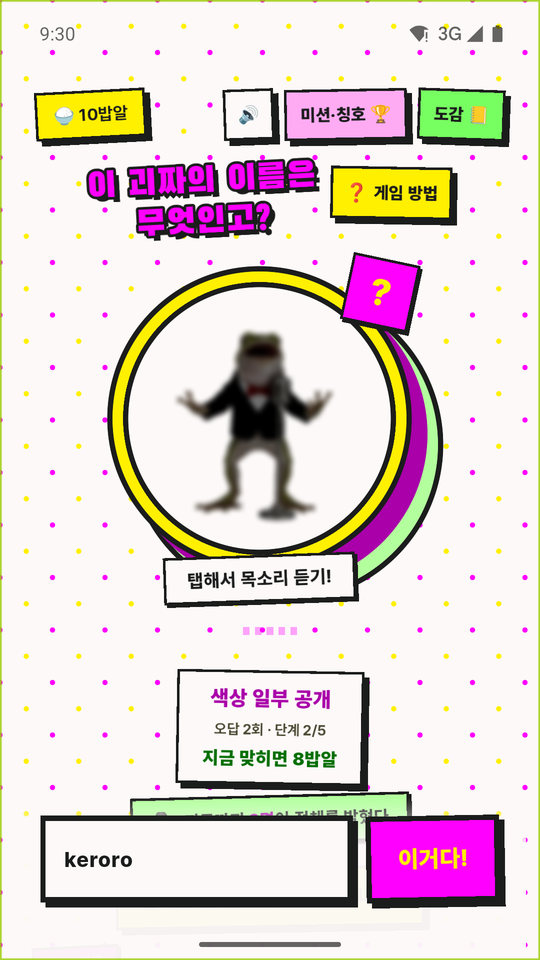
Each wrong answer peels back one layer of the silhouette: outline → color → face and features → most of it → after five, everything is revealed. In exchange, the reward for a correct answer, the currency 'rice grains', is 10 rice grains with no misses, then drops through 8 · 6 · 4 · 2, down to 1 rice grain from the 20th attempt on. It's a mechanism that makes you weigh, every time, whether to answer fast or play it safe.
Wrong answers aren't wasted either. If a wrong answer contains letters that overlap with the correct answer, those letters stay in the 'case file'. The moment when a random guess turns into the decisive clue is the most fun part of this game.
Hints come in two kinds. A basic hint you buy for 1 rice grain, choosing one of three types — first letter · last letter · letter count — and an extra hint that opens the middle letters one at a time if you watch an ad. Where ads can't be shown, you can buy it for 5 rice grains instead. Watching one more ad opens a bonus round where you meet one more oddball that day.
The fun of collecting — field guide · missions · titles
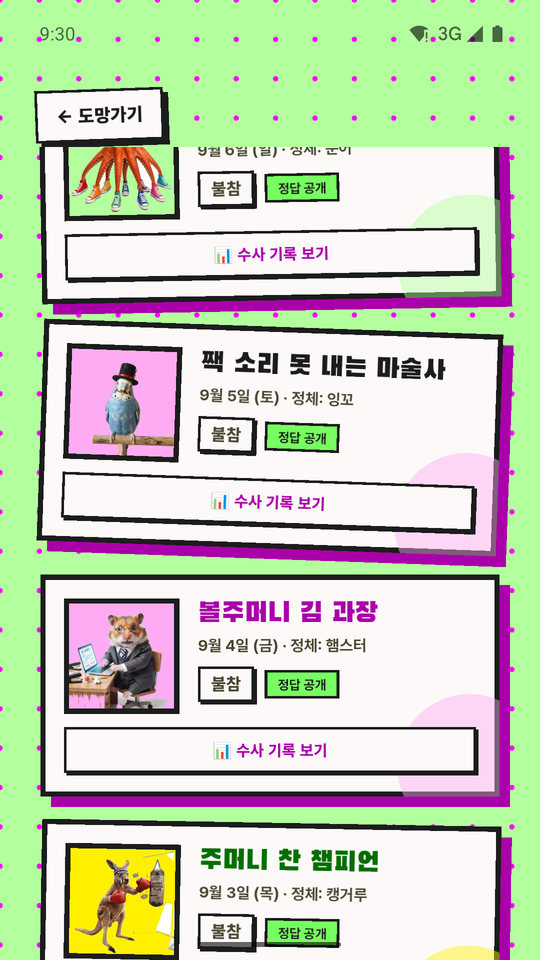
The past 100 oddballs pile up in the field guide. Oddballs you guessed show their identity and artwork; ones you missed stay as a silhouette and a question mark. For each oddball you also see stats such as that day's accuracy rate and average number of attempts.
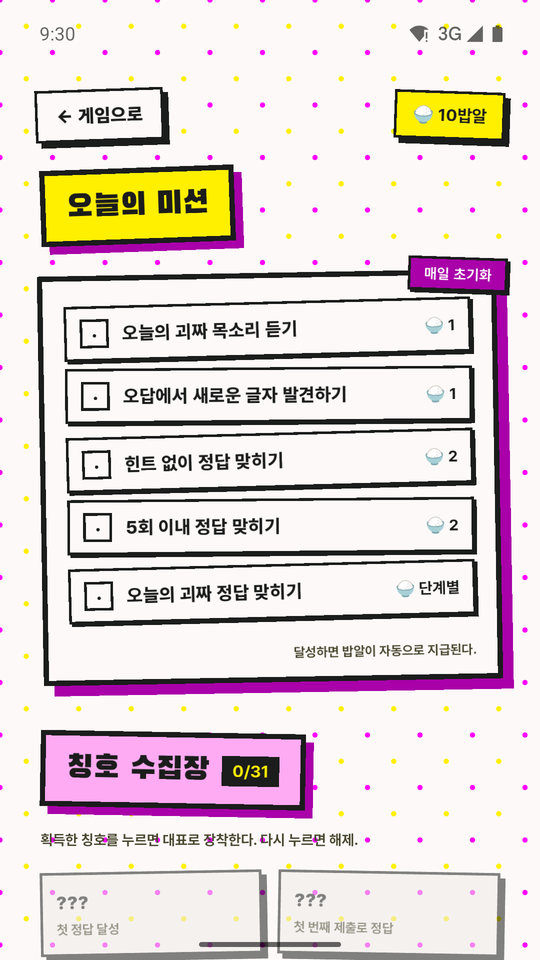
Daily missions are 5 types that reset every day — things like listening to the voice, finding a new letter in a wrong answer, or guessing without hints — and rice grains come in automatically when you complete them. There are 31 titles, and you can equip the one you tap as your main title.
On Toss and on Android
Whether you play in the mini-app inside the Toss app or in the Android app, the Oddball of the Day, the solver count and the stats are gathered as one. On Toss your record is tied to your Toss account and stays the same on a new device; on Android it is tied to the app installation.
When the same person goes back and forth between the two, rice grains, titles and the field guide build up separately, and a one-time link code brings them together. But the two records are switched, not merged. You issue a code on the side you want to keep and enter it on the device you can give up; the entering device moves over to the issuing side's record, and that device's existing progress is gone. They aren't added together so that no one can reinstall the app over and over to collect the new-signup reward and pile it endlessly onto a main account. In return, before entry it always warns that "this device's records will be lost", and the original account is not deleted, so unlinking brings it back.
How it was made
The game launched first as a Toss mini-app and was then brought to Android; the two apps share the same server. Answer judging and copy follow one document, and whenever a rule needs to change, both sides are changed together.
Key features
Screen gallery
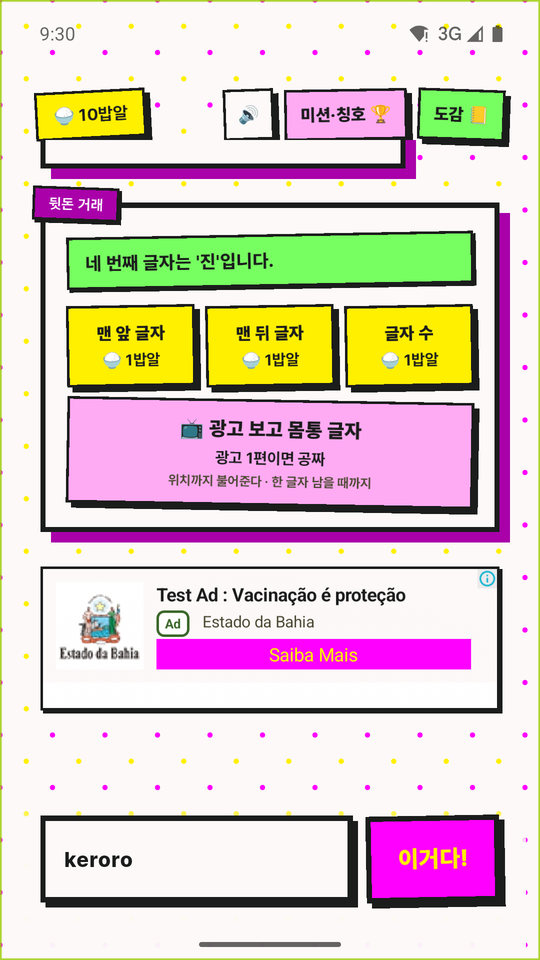
These screens were captured from a development build, so the ad slot on the hints screen shows a Google test ad.
Terms and policies
There's no sign-up, but the app stores progress data on a server and shows ads, so I documented what it collects and what it doesn't.