Tunnel Desk — many tunnels, one click
When your internal servers or databases are reachable only through one bastion host, this Windows and macOS app replaces the pile of ssh commands you start per tunnel and retype after every drop with a single project you connect with one button.
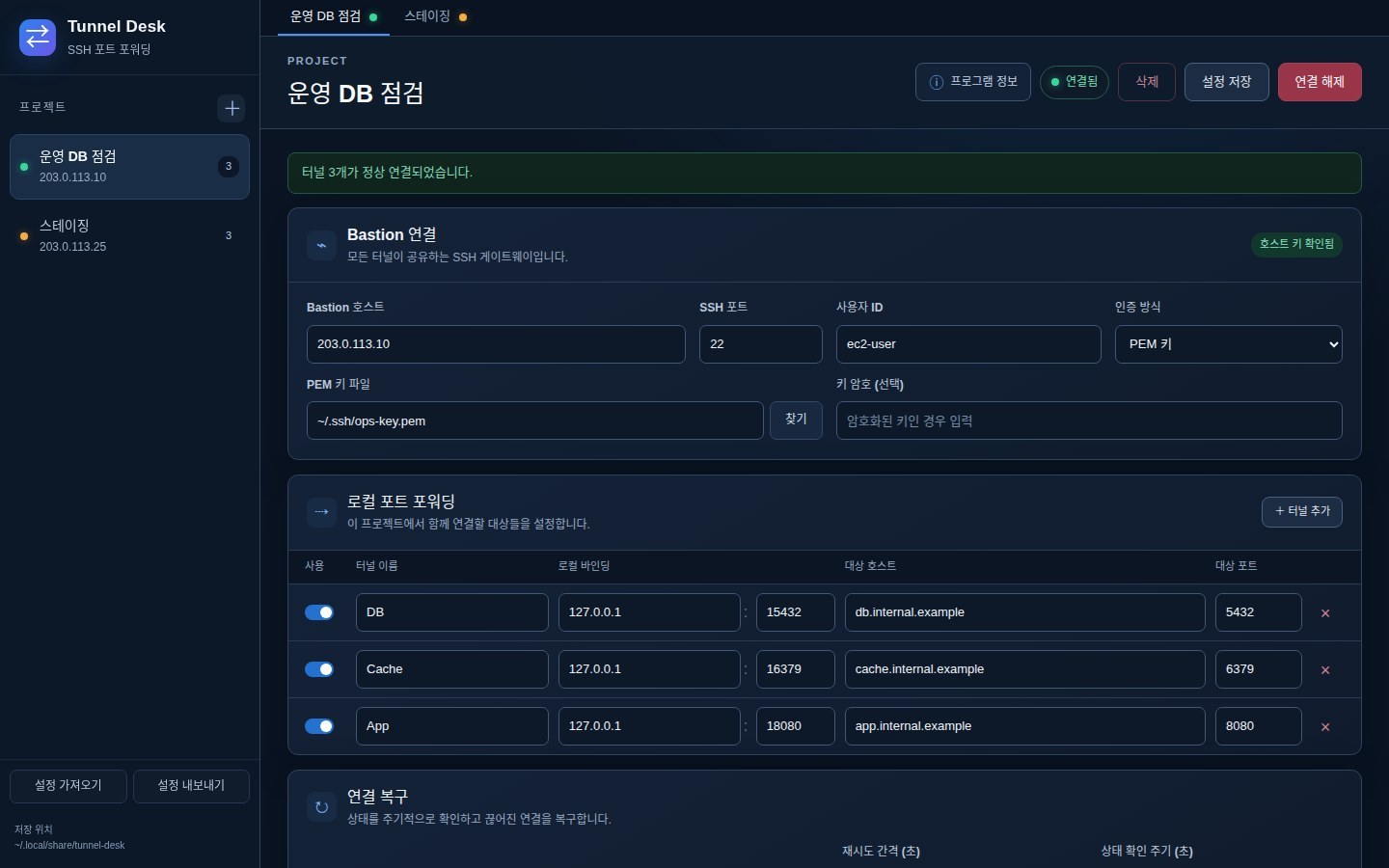
The chore that grows with every tunnel
When several targets can only be reached through a bastion host, you start one forwarding command per local port and retype them whenever the connection drops. Tunnel Desk groups that work into a single project.
Register the tunnels that share a bastion host in one project, connect and disconnect them together, and see each project's current status live. Each forwarding entry from an ssh command you already use becomes one tunnel.
How it handles your connection details
You reach the bastion host with a password or a PEM key file, and enter the key's passphrase too if it has one. The first time you meet a bastion host you trust it once; the app remembers its fingerprint and checks against that from then on.
Passwords and key passphrases are not written to the settings file. They go to Windows Credential Manager or the macOS Keychain, and they are left out of exported settings too.
It reconnects when a tunnel drops
After connecting, the app checks the connection over SSH at a regular interval and retries automatically at the interval you set when it drops. Both intervals are set in seconds, and each project shows a status such as connected or reconnecting (with the retry count).
Moving your settings
Project settings can be exported to and imported from a JSON file, handy for moving to another computer or sharing with a team. As noted above, passwords are not included, so the receiving side enters them once.
Getting it
The current version is v0.1.0. From the GitHub release you can download a Windows (x64) installer, a macOS DMG for Apple Silicon and a macOS DMG for Intel.
The macOS builds are not yet properly signed and notarized (they carry a test signature), so macOS may warn that the app is "damaged" the first time you open it. The file is not broken — it is macOS's security check — and the repository README explains how to get past it.
Key features
Another screen
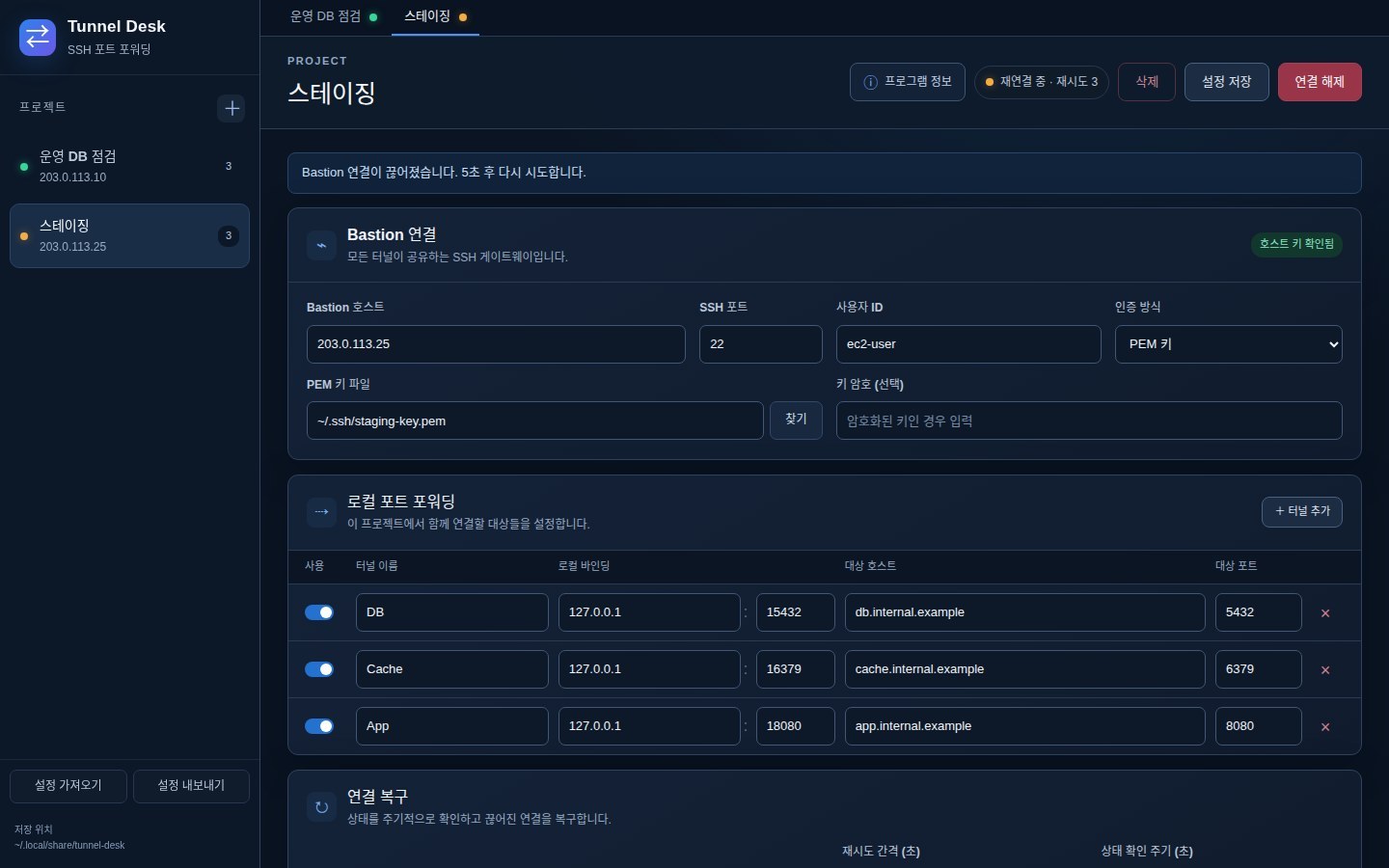
The screens are app screens filled with example values. Host addresses and names are all made up,.
Downloads and source
Get the installers from the GitHub release; the source, install notes and usage are in the repository.